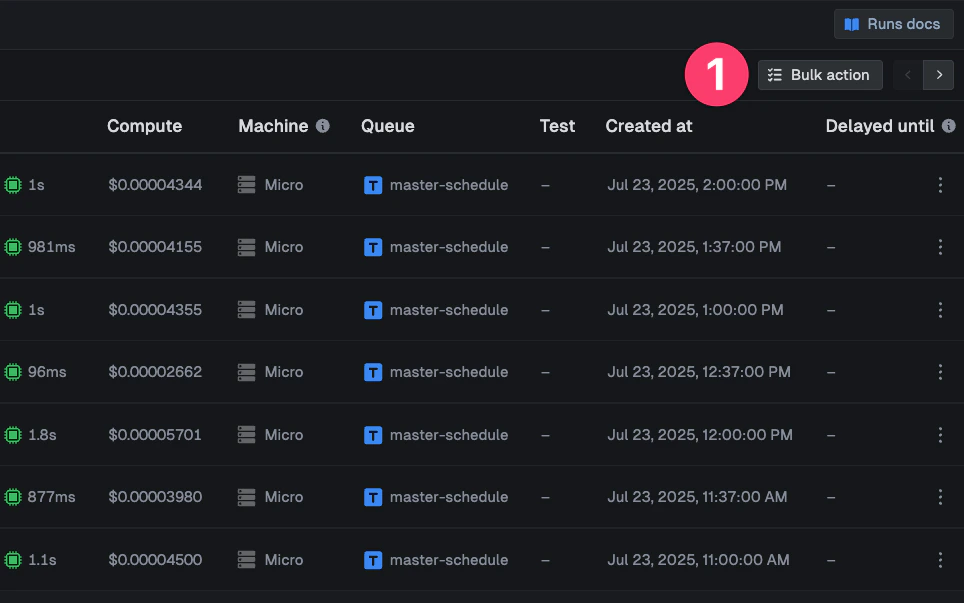
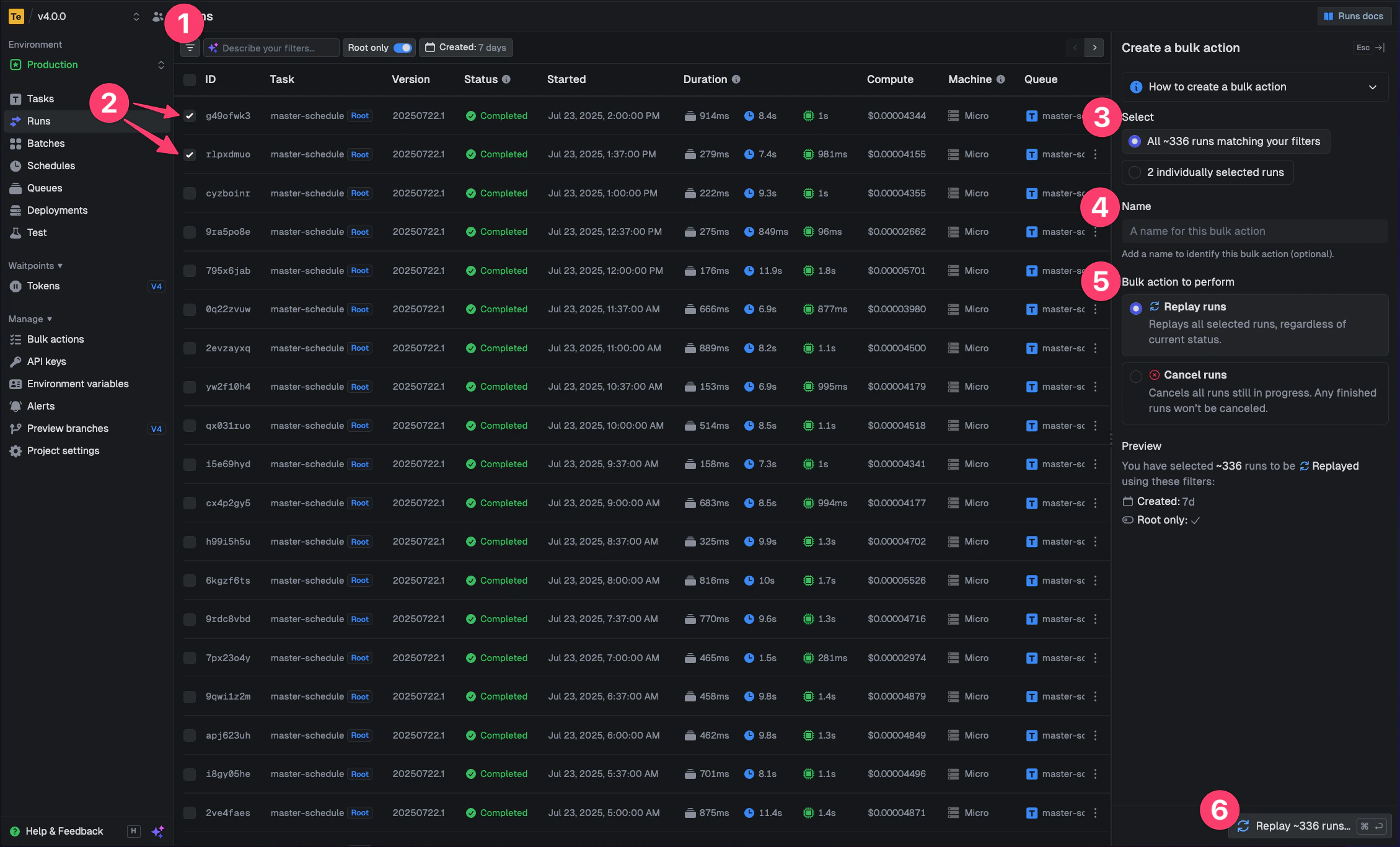
Bulk actions allow you to perform replaying and canceling on multiple runs at once. This is especially useful when you need to retry a batch of failed runs with a new version of your code, or when you need to cancel multiple in-progress runs.Documentation Index
Fetch the complete documentation index at: https://trigger-docs-mcp-readonly-runtime-flag.mintlify.app/llms.txt
Use this file to discover all available pages before exploring further.
How to create a new bulk action
Open the bulk action panel from the top right of the runs page

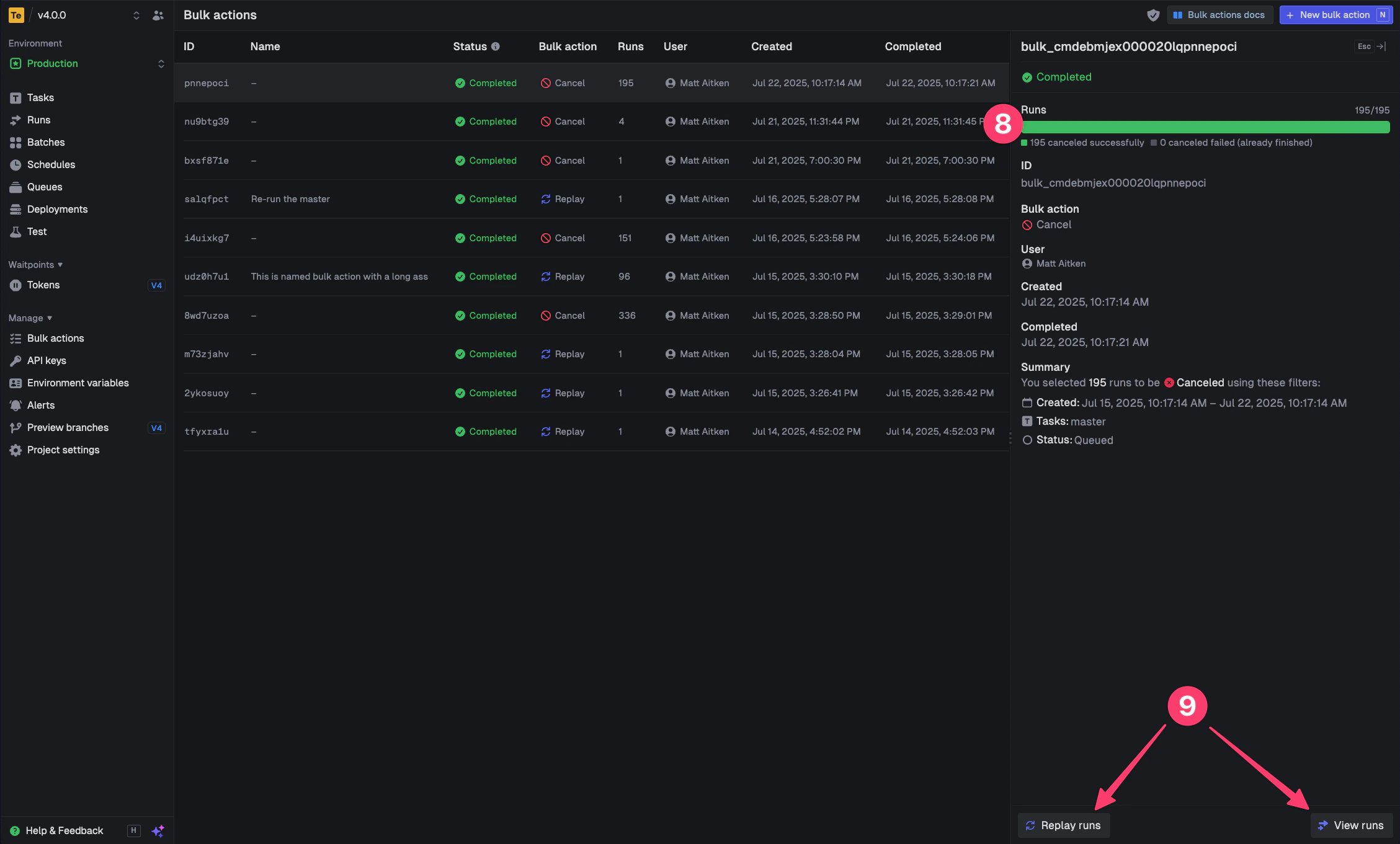
You can only cancel runs that are in states that allow cancellation (like QUEUED or EXECUTING).
Runs that are already completed, failed, or in other final states by the time the bulk action process gets to them, cannot be canceled.